Detailed Logs
The detailed logs differentiate between sites actually visited and those that are only "supporting" sites. For further explanation, please click here.
Note: This page describes the legacy Internet Accountability report, which has since been replaced by Screen Accountability. See Understanding Reports.
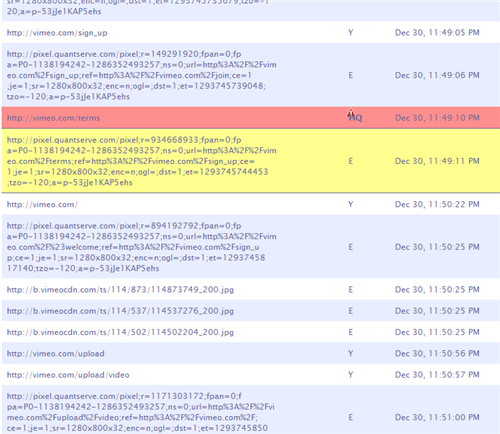
In addition to the summarized reports that allow you to review internet activity "at-a-glance", WebChaver also allows you to view detailed logs of all internet activity - second by second. The detailed log allows you to quickly determine the nature of any high scoring sites as well as see the "big picture" of what was accessed, when, and in what context.
The detailed logs can be accessed directly from the accountability report, by clicking on "View detailed log". It can also be accessed online by logging into your account. If you are an accountability chaver, you can create a free account on WebChaver to generate reports and detailed logs, by clicking here.
The lines highlighted in Red are high rated.
The lines highlighted in Yellow were blocked by the filter.
Web Chaver Inc. — 126 Pennsylvania Ave, Suite #12, Paterson, NJ 07503. A New Jersey Tax Exempt 501(c)(3) Organization, EIN 26-3070543. Use of this website signifies your agreement to the Terms of Use and Online Privacy Policy.